

 HANDS ON SharePoint
 HANDS ON Teams
 HANDS ON Lists
 HANDS ON tek
 M365 Admin
What’s new for Microsoft Teams – April 2026
April didn’t bring a big headline feature in Teams, but it continued to improve the product where it matters: small, focused changes that remove friction. The kind of gains you don’t notice instantly, but make the tool easier to live in after a few days.
Badge counts are now clearer about what actually needs attention, focusing on unread chats, mentions, followed threads and tags, with cleaner visual signals. At the same time, you can test your microphone and speaker directly before joining a meeting, which avoids the usual “can you hear me?” moment at the start.
Search also gets tighter with smarter suggestions as you type, helping you land on the right chat, channel or person faster without reworking the query. None of these are major on their ow

APR
1
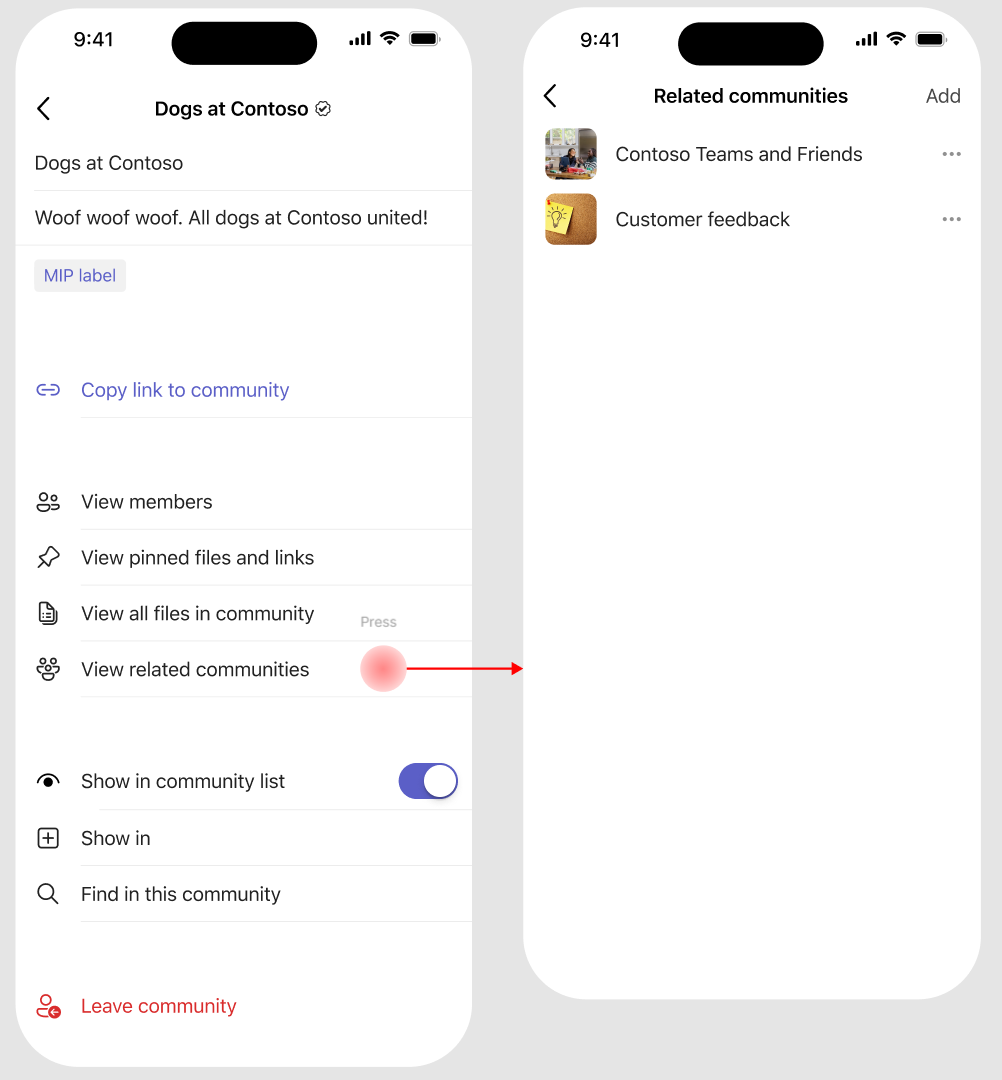
Users will be able to see a community’s pinned resources and related communities in Teams for iOS.
Teams chat and channel lists can be filtered to show unread items only. When this filter is applied, hovering over a section reveals an eye icon next to the section name. Selecting the eye icon opens a list of read chats or channels within that section, allowing you to open them without leaving the unread-only view.
Microsoft Teams displays a badge on the app bar that reflects activity across chats and channels. Now, it’s easier to find and clear the messages behind that badge. Unmuted chats show a purple indicator when they affect the badge, while mentions, followed threads, and tag mentions display a purple number indicating how many items within are unread and part of the count.
Microsoft Teams will retire its legacy third-party meeting and call control APIs on June 30, 2026, removing external hardware/app control of meeting functions in the desktop client. Native Teams controls and supported integration models remain unaffected. Organizations should review and notify users of this change.
APR
2
Microsoft Teams automatically organizes your chats with new built in sections that help reduce clutter and keep conversations easy to find. Muted chats (on by default) are grouped together in a dedicated area, while meeting chats (off by default) can be collected into a single section for quick access. You’re always in control, as each section can be turned on or off based on your preferences.
Facilitator now automatically detects open questions raised during a Teams meeting and offers to help answer them using web search. When a participant asks a question (e.g., “What is an LLM?”) and no one answers, Facilitator posts a prompt offering to find an answer. Participants can select “Yes” to have the agent retrieve and share the information.
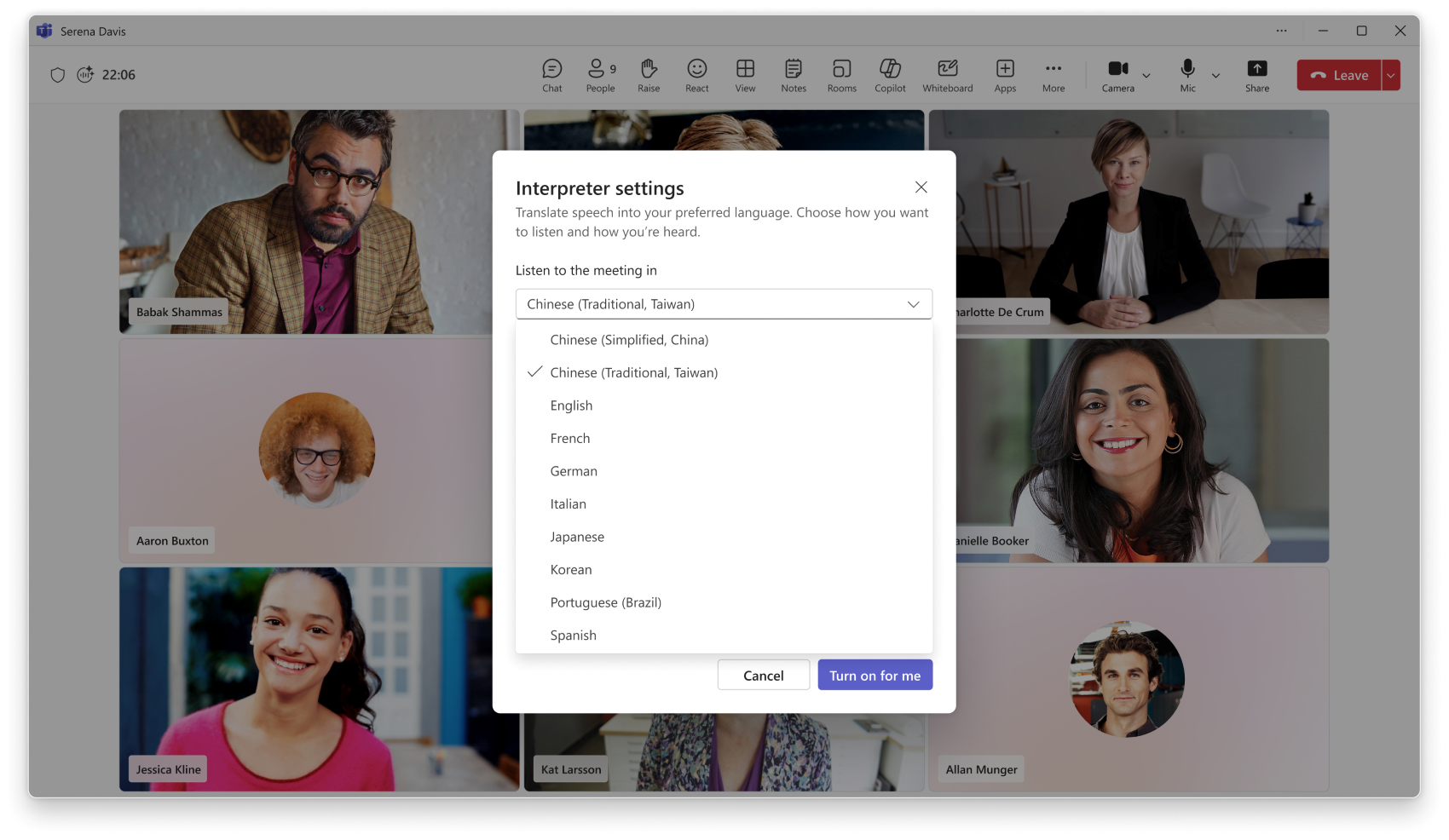
Microsoft Teams AI Interpreter will improve real-time interpretation accuracy, better recognize names and industry terms, and use your organization’s Custom Dictionary. Traditional Chinese support is added. The update requires Microsoft 365 Copilot licenses, rolls out April 2026, and needs no admin action before deployment.
APR
6
Presenters can now share a single application window and enable participants to annotate directly on top of that content, without exposing their entire desktop. This means cleaner presentations, protected privacy, and more engaging discussions across training sessions, workshops, and client meetings.
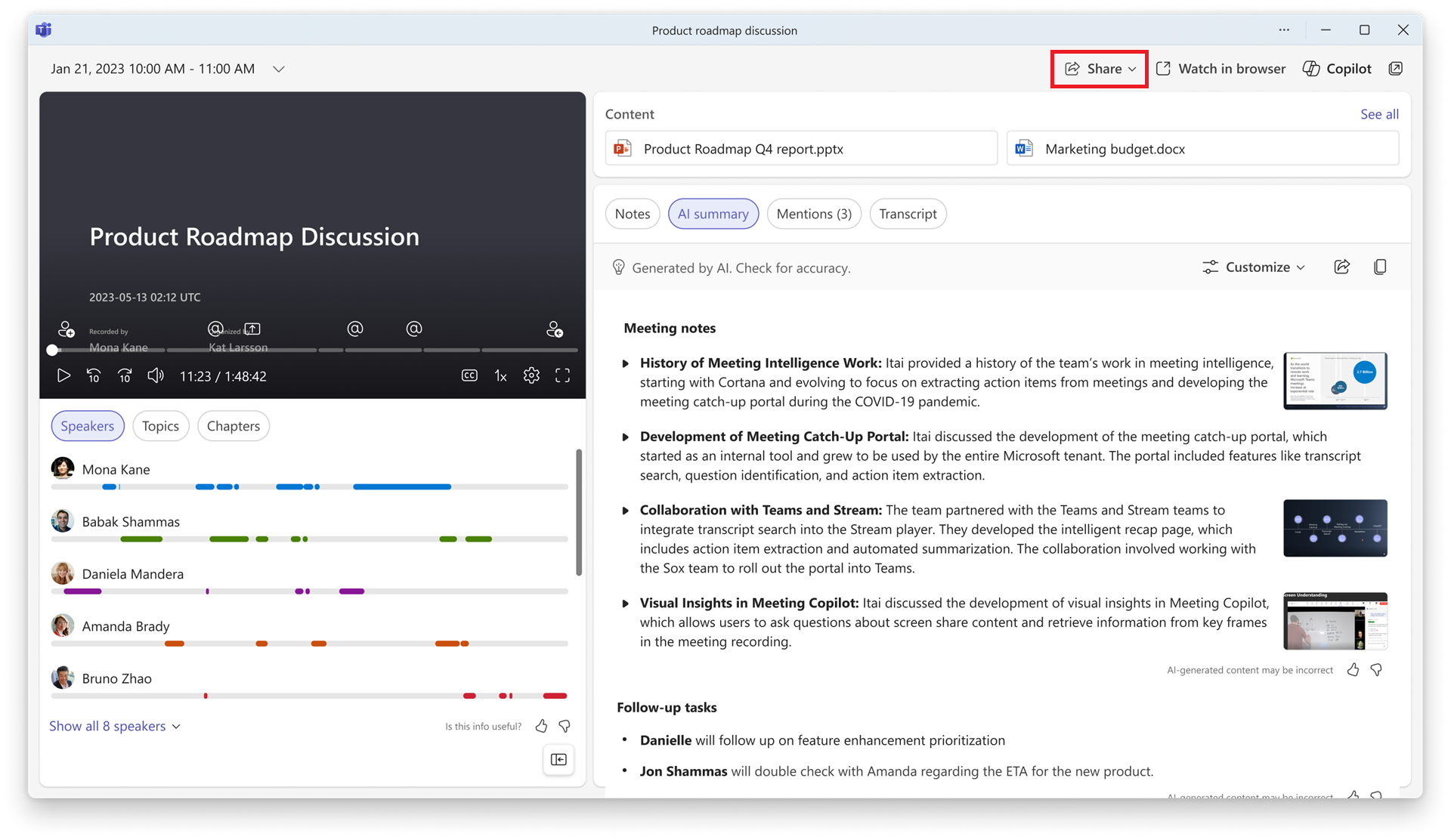
Recording and transcript owners can now grant recording and transcript access to specified people when copying or sharing recap link, and the specified people can access the recap without having to request access.
Microsoft Teams will update badge counts starting mid-April 2026 to show unread, unmuted chats, personal mentions, followed threads, and tag mentions with clearer visual indicators. The feature is enabled by default, requires no admin action, and aims to simplify message notifications for all desktop and mobile users.

Microsoft Teams will enhance Direct Guest Join media quality by mid-May 2026, supporting up to 16 participant videos in a 4×4 grid and improving video reliability via simulcast streaming for Zoom, Google Meet, and Cisco device users. The update is enabled by default with no admin action needed.
Viva Engage in Microsoft Teams for iOS will add pinned resources and related communities by late April 2026, matching other platforms. This enhances content access and community discovery, is enabled by default, requires no admin action, and affects users and community admins.
APR
7
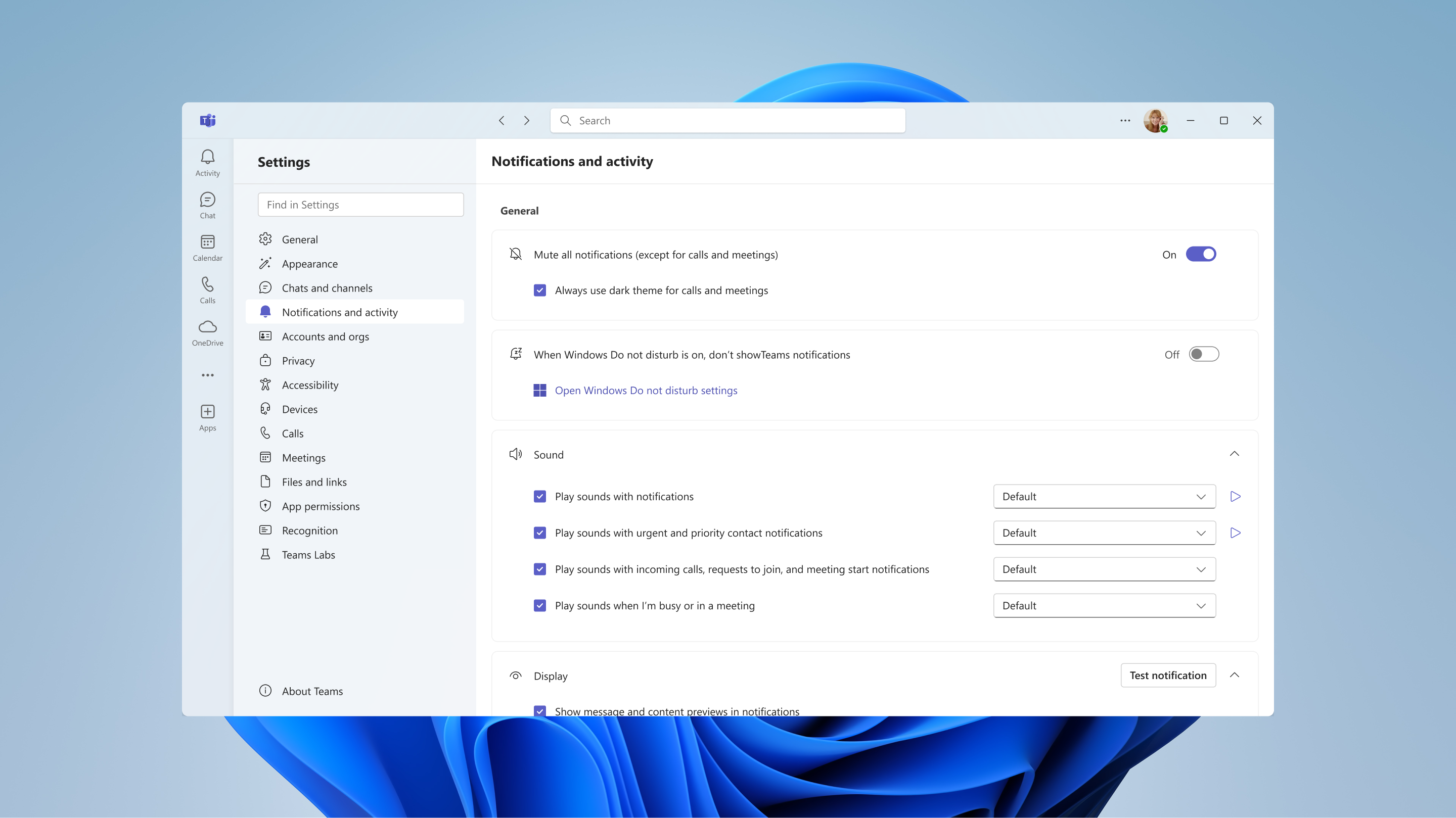
Microsoft Teams on Windows 11+ will offer an opt-in toggle to suppress Teams toast notifications when Windows “Do not disturb” is enabled, starting May 2026. This feature respects existing Windows DND settings, affects only Windows 11 or later, and requires no admin action.
Microsoft Teams will introduce two new chat sections—Muted chats (enabled by default) and Meeting chats (disabled by default)—to organize chats. These sections group muted and meeting chats separately, can be toggled by users, and will roll out globally from early to mid-May 2026. No admin action is required.
APR
12
Teams rooms on Windows supports Entra Resource Accounts for secure, passwordless sign-in that separates device and user identities. IT admins can migrate to Entra accounts easily with the migration wizard, and track progress using a dashboard in the Pro Management portal.
Admins can enable a tenant-wide policy that allows Copilot (and Facilitator) to retain key insights from meetings beyond transcript retention periods. This enables Copilot to continue answering questions about past meetings even after transcripts expire. Admins can also configure how long this AI-generated meeting archive is stored.
GCC-H and DoD customers can now experience multi-stream IntelliFrame in Microsoft Teams Rooms on Windows, which sends separate video feeds of each in-room participant to improve hybrid meeting visibility and inclusivity. Requires a compatible intelligent camera. Available with Teams Rooms Pro.
GCC-H and DoD cloud customers can now experience multi-camera views in Microsoft Teams Rooms on Windows, allowing remote participants to switch between multiple in-room camera feeds for improved visibility and engagement in larger spaces. Find camera requirements here. Available with Teams Rooms Pro.
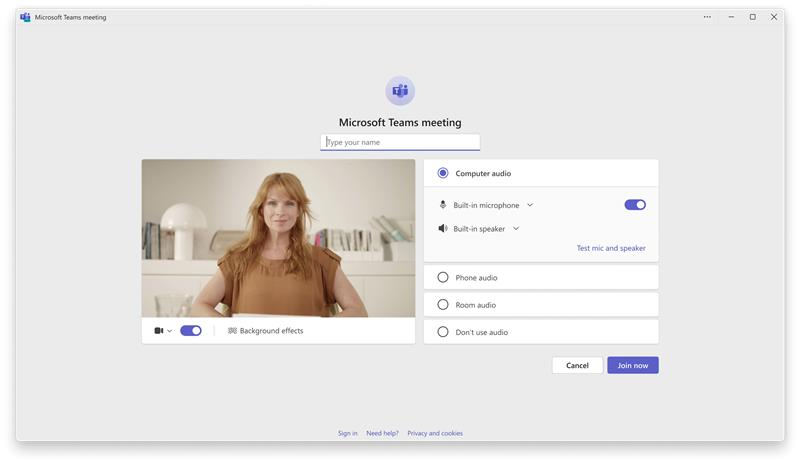
Before joining a meeting on your pre-join screen, you can test your microphone and speaker to make sure others will hear you clearly. Select Test mic and speaker to record a short audio clip and play it back. This helps you confirm that the right devices are selected and that you’ll be heard—and hear others—once the meeting starts.
APR
13
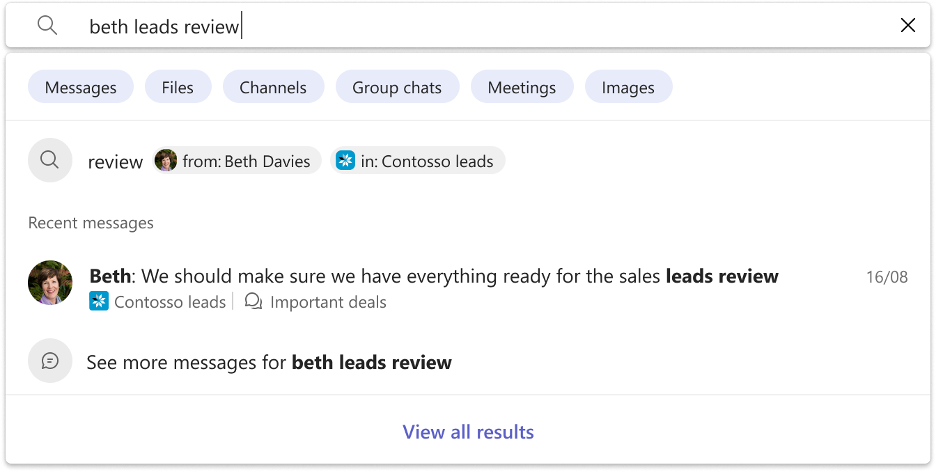
Microsoft Teams will introduce smarter, personalized Autosuggest in search by mid-April 2026, showing clearer suggestions for people, channels, and chats to improve search speed and relevance. The feature is enabled by default, requires no admin changes, and enhances user experience without affecting data storage or permissions.
Microsoft Teams will introduce an eye icon in unread only mode to quickly access read chats and channels without changing filters. Rolling out worldwide from early to mid-May 2026, this feature is enabled by default, requires no admin action, and improves navigation while keeping the unread list visible.
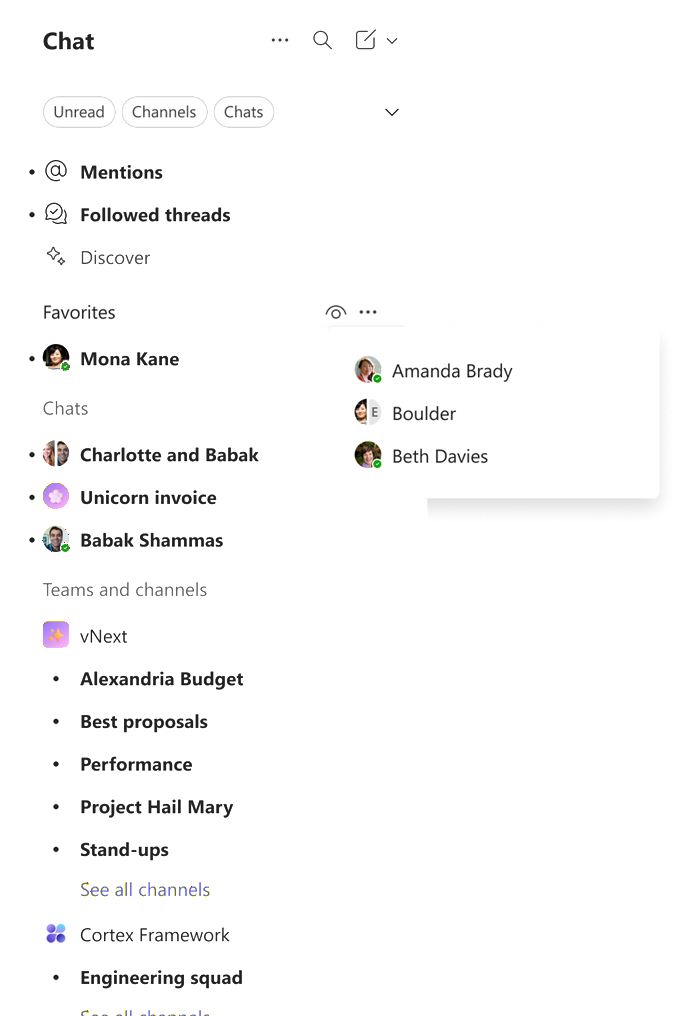
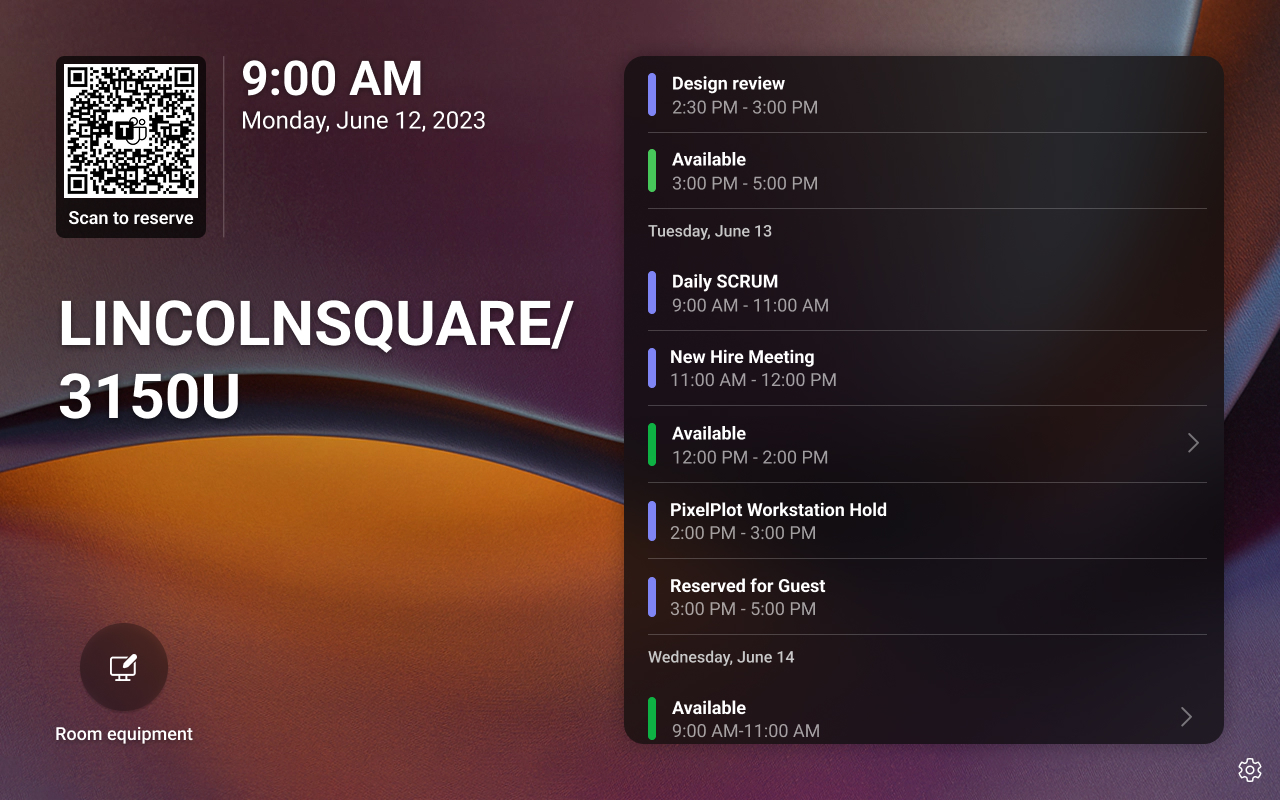
Microsoft Teams will allow booking future meetings directly from Android-based Teams panel devices starting early May 2026. This feature, off by default, requires admin activation and supports adding guests. It applies to Teams Rooms Pro and Shared Device licensed rooms, streamlining scheduling without switching devices.
Starting April 1, 2026, classic agent creation in the Microsoft Copilot Studio app for Teams has reached end of support.
Microsoft Teams will offer AI meeting recaps without saving transcripts or recordings, supporting compliance policies. Available mid-2026 for M365 Copilot Premium users, organizers can enable/disable this feature pre- or during meetings. It’s controlled by tenant AI settings and generates summaries using live meeting context only.
APR
14
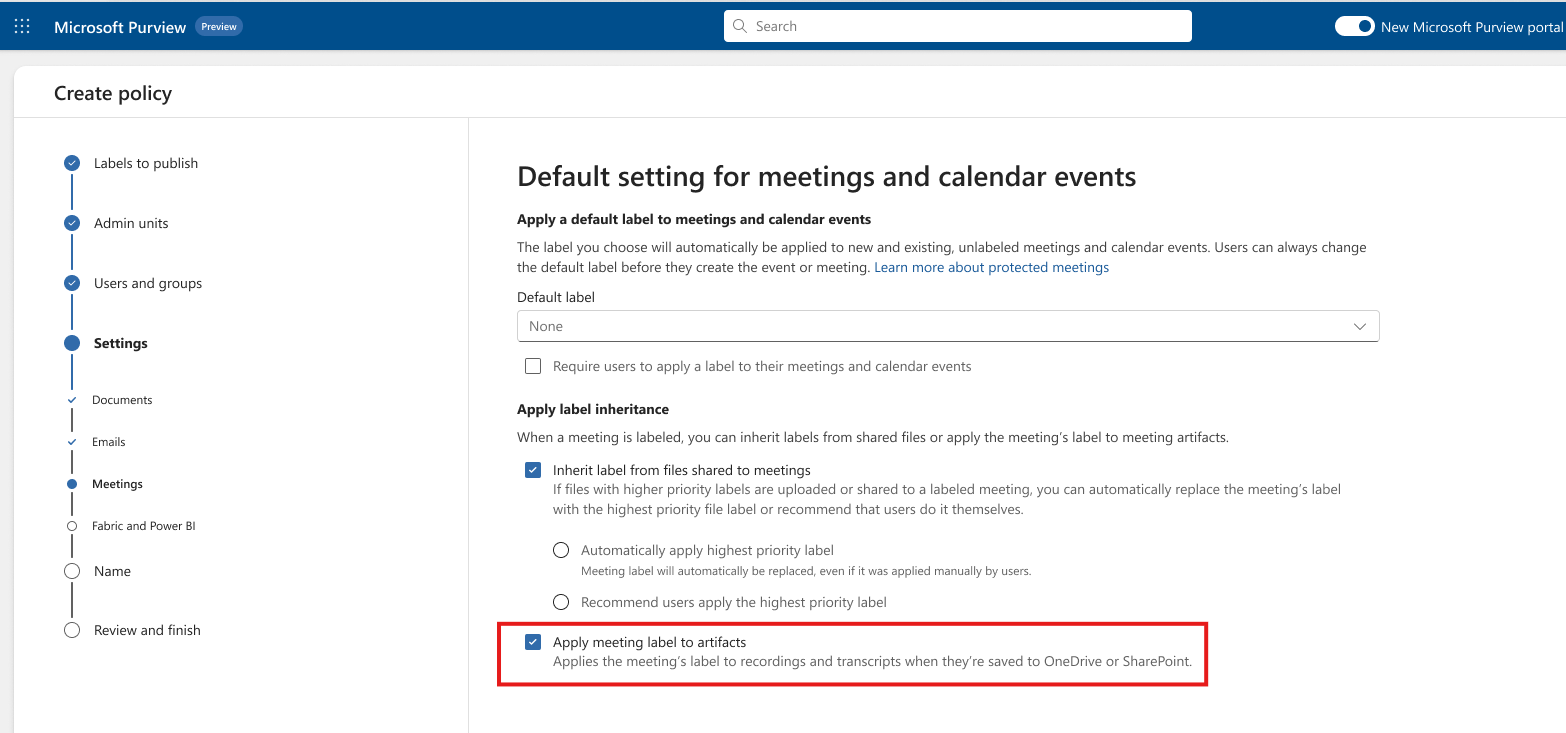
Microsoft Purview Information Protection will support sensitivity label inheritance for Teams meeting artifacts, such as transcripts, recordings, and Loop notes. Admins must enable this feature and configure policies. Rollout begins May 2026 (preview) and June 2026 (general availability), enhancing consistent protection of meeting content.
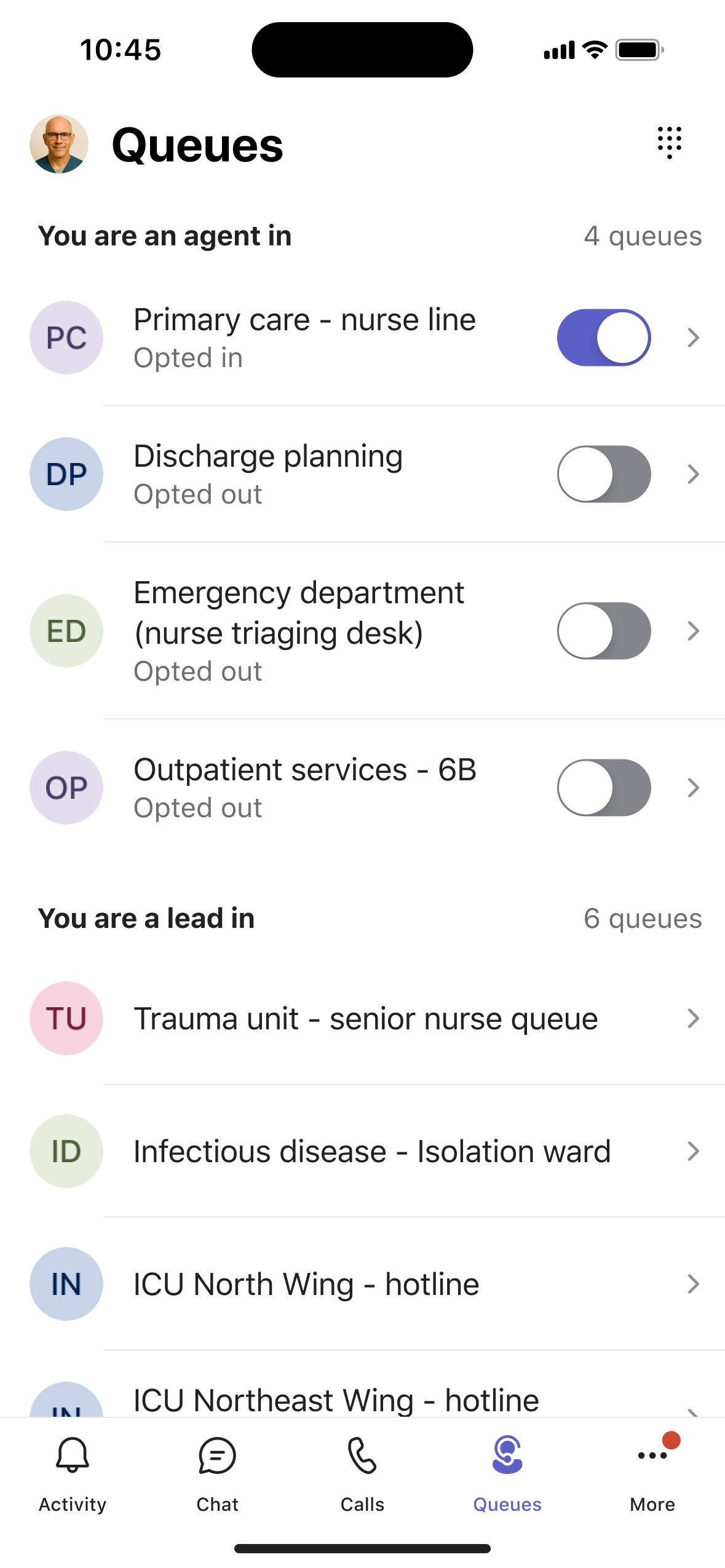
The Queues app on Microsoft Teams mobile (iOS and Android) will allow calling representatives and supervisors to manage call queues, view queue details, and call history on the go. Rolling out worldwide from mid- to late May 2026, it is enabled by default for licensed Teams Phone and Teams Premium users.
APR
15
We are updating the default profanity filter setting for live captions from On to Off across Teams meetings, calls, events, and Microsoft Teams Rooms (MTR) devices to improve accessibility and align with EU requirements. This change will only affect users who have never configured their live captions profanity filter preference. Users who have already set their preference will keep their current setting. As a result, some users may begin seeing unfiltered profanity in live captions by default after this rollout. Users can update this preference in settings at any time.
When a Teams Rooms on Android is invited as a meeting presenter, the front-of-room display defaults to the attendee view. Presenters always have full control from the console, including green room and off-stage management, and can switch the front-of-room display to presenter view without impacting attendees.
The Teams Reader role in the Teams admin center will gain expanded read-only visibility of Teams and channel management details via the admin center, PowerShell, and Microsoft Graph APIs starting late April 2026. No new edit permissions are granted, and no admin action is required before rollout.
Microsoft Teams will support CSV import for breakout room assignments starting May 2026, enabling organizers to bulk create rooms and pre-assign participants. The feature is enabled by default, requires no admin action, and allows modifications during meetings, improving setup efficiency for structured sessions.
APR
16
Organizers can now use breakout rooms in Teams events with up to 1,000 attendees, enabling more interactive sessions, smaller group discussions, and improved audience engagement without compromising scale or performance.
In addition to capturing real-time notes and meeting outcomes during scheduled or hybrid meetings, the Facilitator agent assists you with notes, decisions and actions for in-person meetings in Teams Rooms on Windows. Simply invite Facilitator with one tap of the room console. Meeting notes appear on the front of room display or touch board, are available via meeting recap when shared, and deleted if no one selected. Rest assured no data remains in the room. Available with Teams Rooms Pro.
APR
17
Starting April 15, 2026, browsers and platforms will distrust DigiCert Global Root CA (G1). Microsoft 365 services use newer certificates, so most users won’t be affected. Legacy scenarios may face TLS errors. If issues arise, verify the certificate chain and contact Microsoft Support referencing the April 2026 distrust.
In a previous communication, MC1274562, we announced that the classic agent creation experience in the Microsoft Copilot Studio (formerly Power Virtual Agents) app for Teams would be retired beginning April 1, 2026.
APR
20
Users can now report suspicious external users directly within Teams, alongside existing block actions. Reports are surfaced in the Teams admin center, giving admins visibility into potentially risky interactions and enabling them to investigate and take appropriate actions. This enhancement helps organizations respond faster to phishing, impersonation, and other external threats while leveraging end-user signals as an additional layer of protection.
Starting May 2026, the first channel in newly created Microsoft Teams will default to the threaded conversation layout instead of Posts. This applies only to new teams, can be changed by team owners, requires no admin setup, and aims to improve conversation organization and clarity.
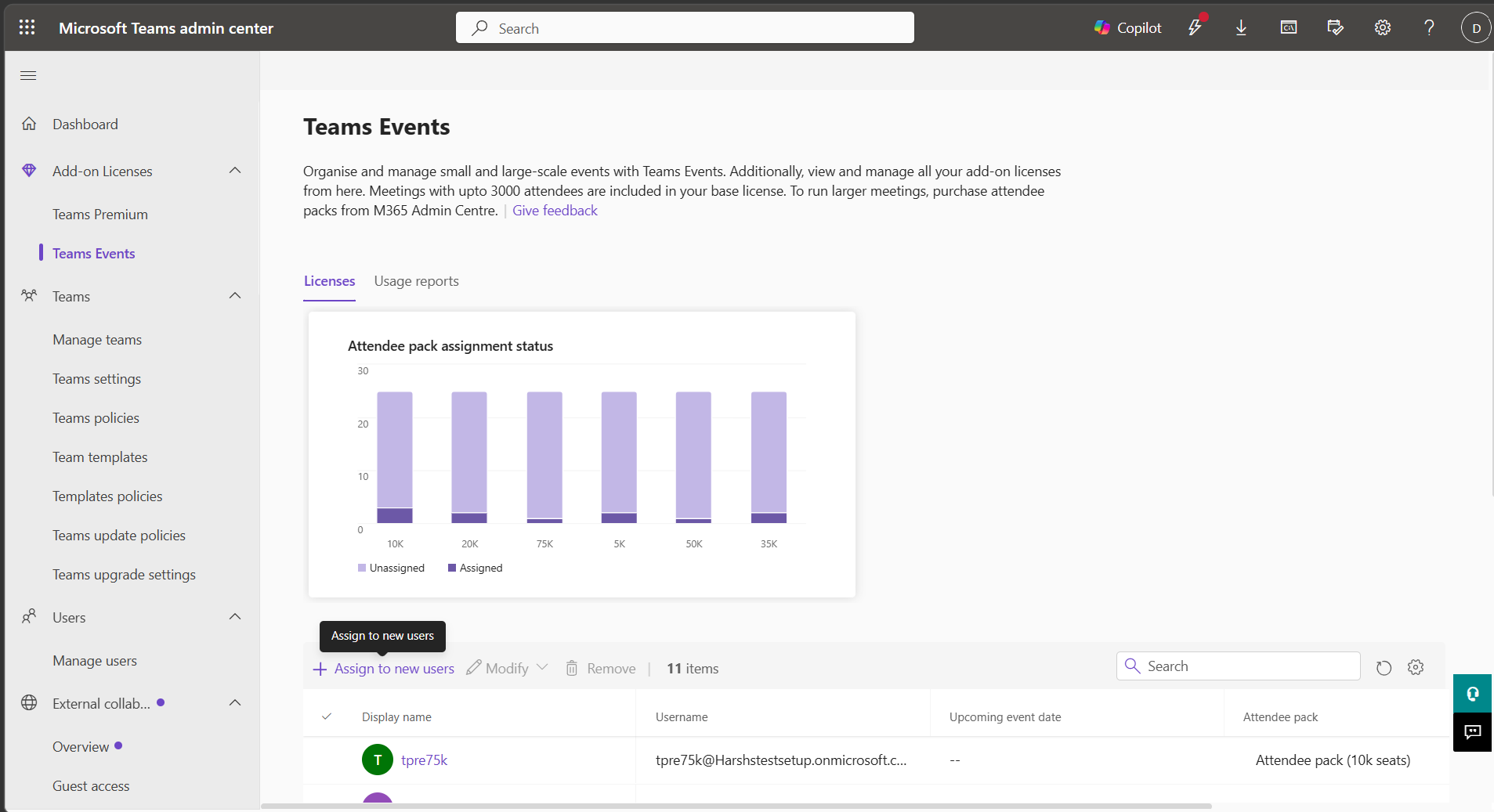
Microsoft Teams admin center will introduce centralized management for Attendee Capacity Pack licenses starting late April 2026. Admins can discover, assign, revoke licenses, view impact warnings, and monitor license status without policy changes or user workflow impact. No action is required before rollout.
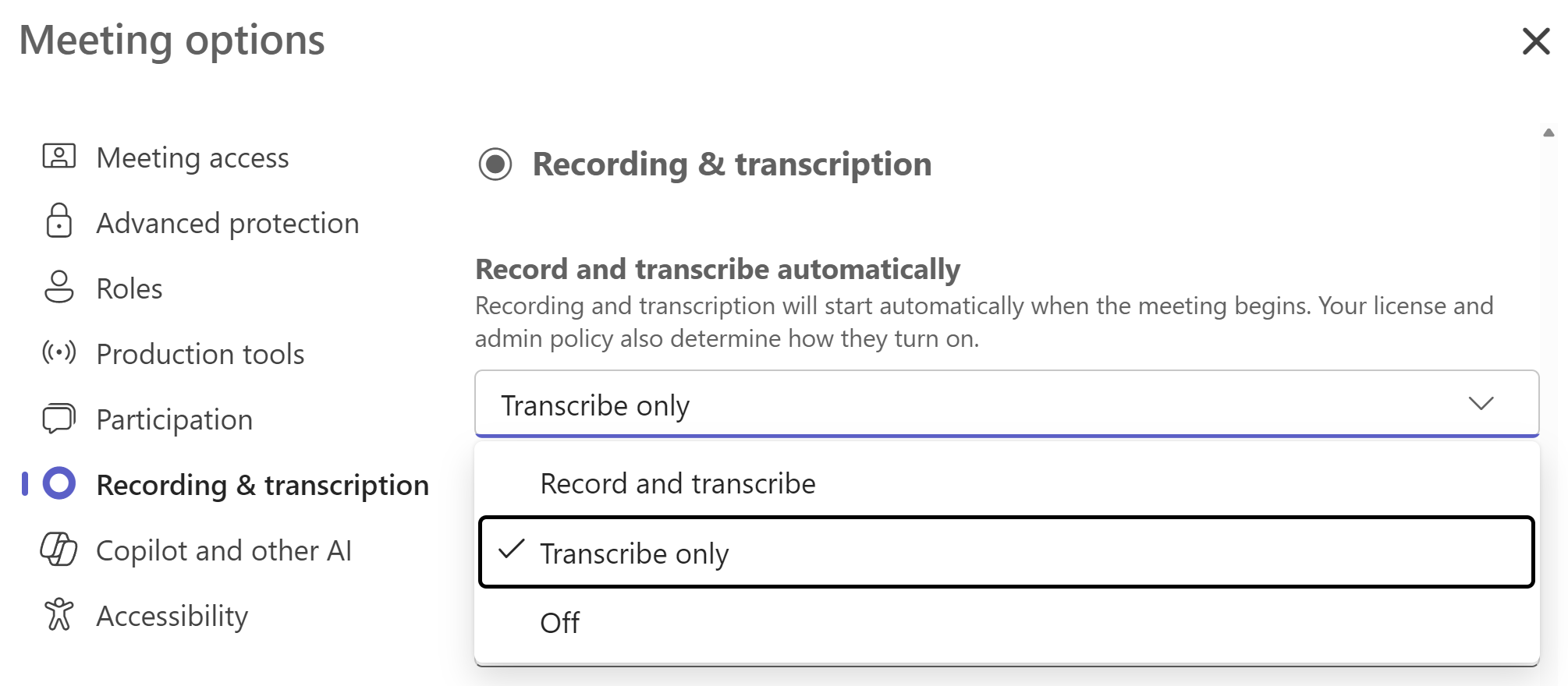
Microsoft Teams will allow meeting organizers to automatically start transcription without recording by selecting the new “Transcribe only” option. This feature, rolling out April-May 2026, supports compliance and privacy needs while enabling accessibility and AI insights. Admins must enable transcription policies for access.
APR
21
Teams efficiency mode improves performance and responsiveness on hardware constrained devices by applying a reduced resource configuration by default, helping maintain meeting quality and responsiveness during collaboration.
APR
22
A new Security Detection Report in the Teams admin center provides a centralized view of messaging security detections, including impersonation, malicious URLs, and weaponizable file types. Admins can review detection activity in one place and export detailed data to support investigation and response. This capability helps consolidate security signals for Teams messaging scenarios.
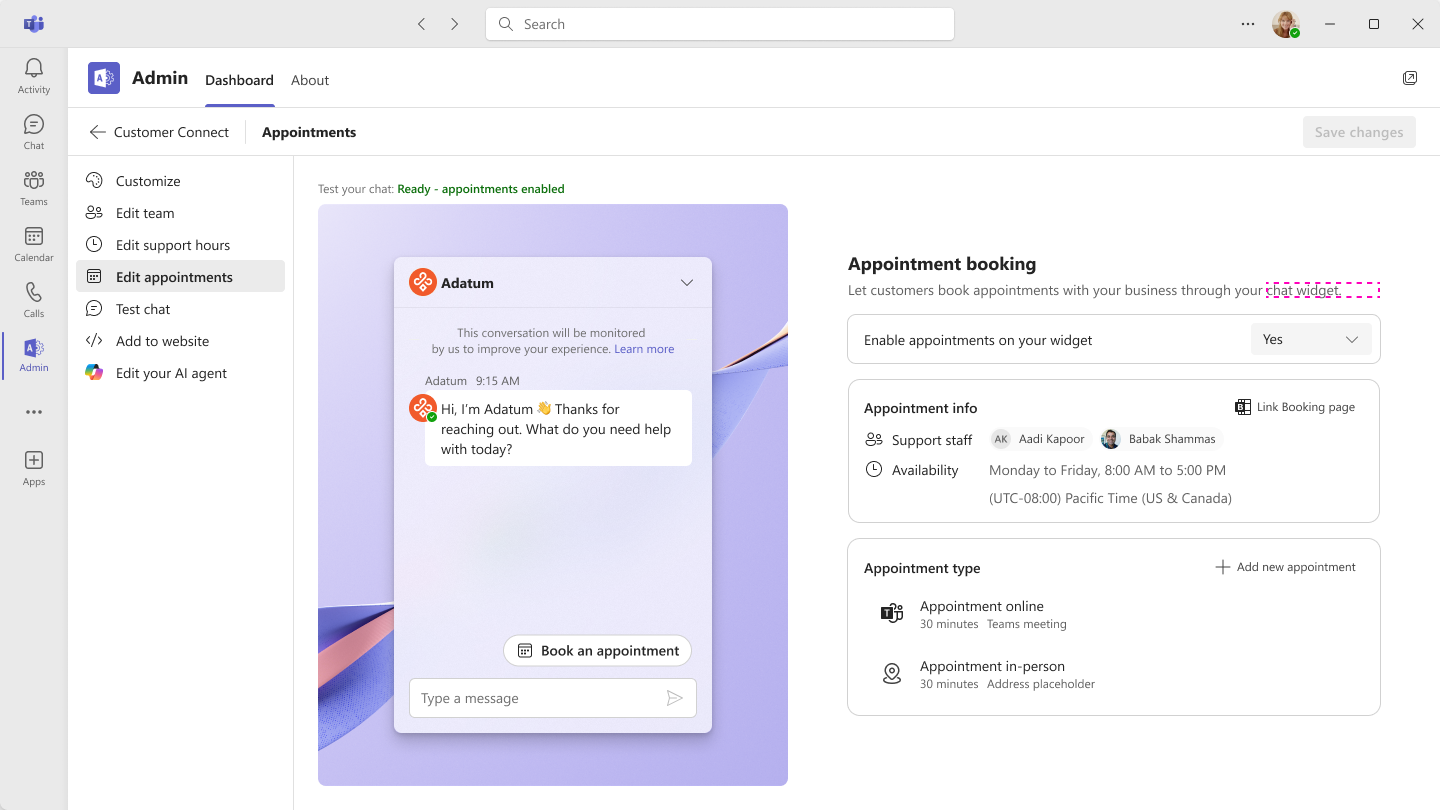
Microsoft Teams will rename Live chat to Customer Connect starting late April 2026, completing by May 2026. This is a name change only, with no functional or configuration changes. Existing teams remain unchanged; new users will see Customer Connect. No action is required, but updating documentation is recommended.
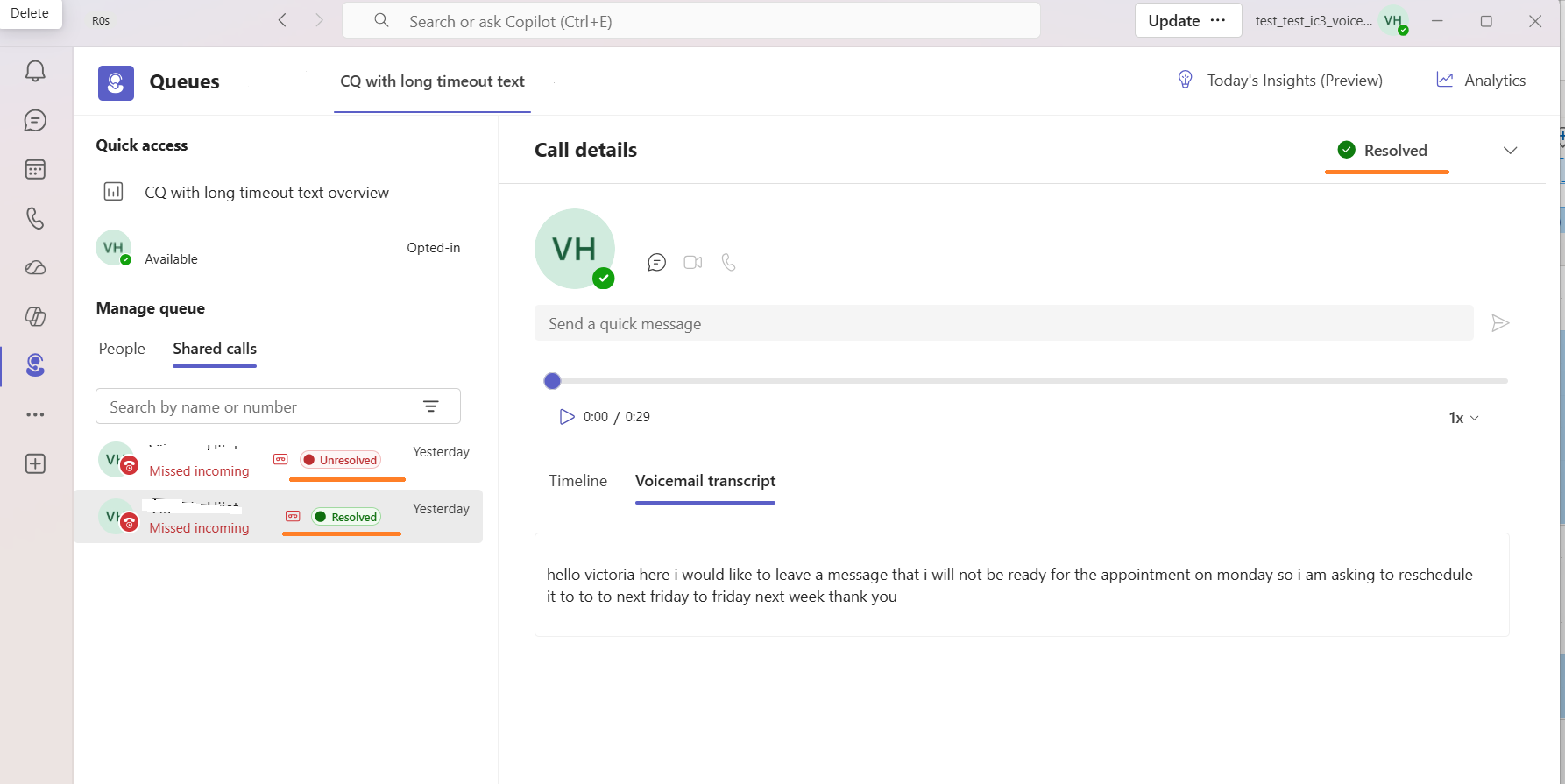
Shared voicemails for Microsoft Teams Call Queues will be managed directly in the Teams Queues app starting late April 2026, improving visibility and collaboration. Queue members can listen, read transcripts, and update voicemail status. This requires Teams Phone and Teams Premium licenses. No changes to Outlook voicemail experience.
Microsoft Teams will roll out Efficiency Mode in May 2026 for hardware-constrained devices, improving responsiveness by adjusting video resolution and app behavior. Enabled by default with an indicator, users can opt out via settings. No action is required unless customization or communication is needed.
APR
23
Update Teams Phone Devices to app version 1449/1.0.94.2026047602 by April 24, 2026, to ensure reliable Copilot performance during calls. This affects Teams Certified Phone Devices only and improves existing functionality without policy changes. Verify updates via Teams Admin Center and prepare support teams accordingly.
Microsoft Teams on macOS will support annotations on single application window sharing, allowing participants to draw and highlight without sharing the entire desktop. Rolling out from early to late May 2026, this feature enhances privacy and collaboration with no admin changes needed.

Microsoft Teams will add a default feature allowing users to test their microphone and speaker on the pre-join screen starting May 2026. This helps ensure correct audio device selection, reducing meeting disruptions. No admin action is needed, and there are no compliance concerns.
Microsoft Teams Customer Connect will add appointment booking via a website widget, allowing customers to schedule meetings that sync with staff Outlook calendars and Teams channels. Rolling out worldwide in May 2026, admins must enable and configure this feature for up to 25 support agents per tenant.
APR
24
Microsoft Teams will enable meeting organizers to grant access to recordings, transcripts, AI summaries, and notes when sharing recap links. This feature, rolling out from mid-May to early July 2026, allows specifying recipients and prompts non-attendees to request access. No admin action is needed.
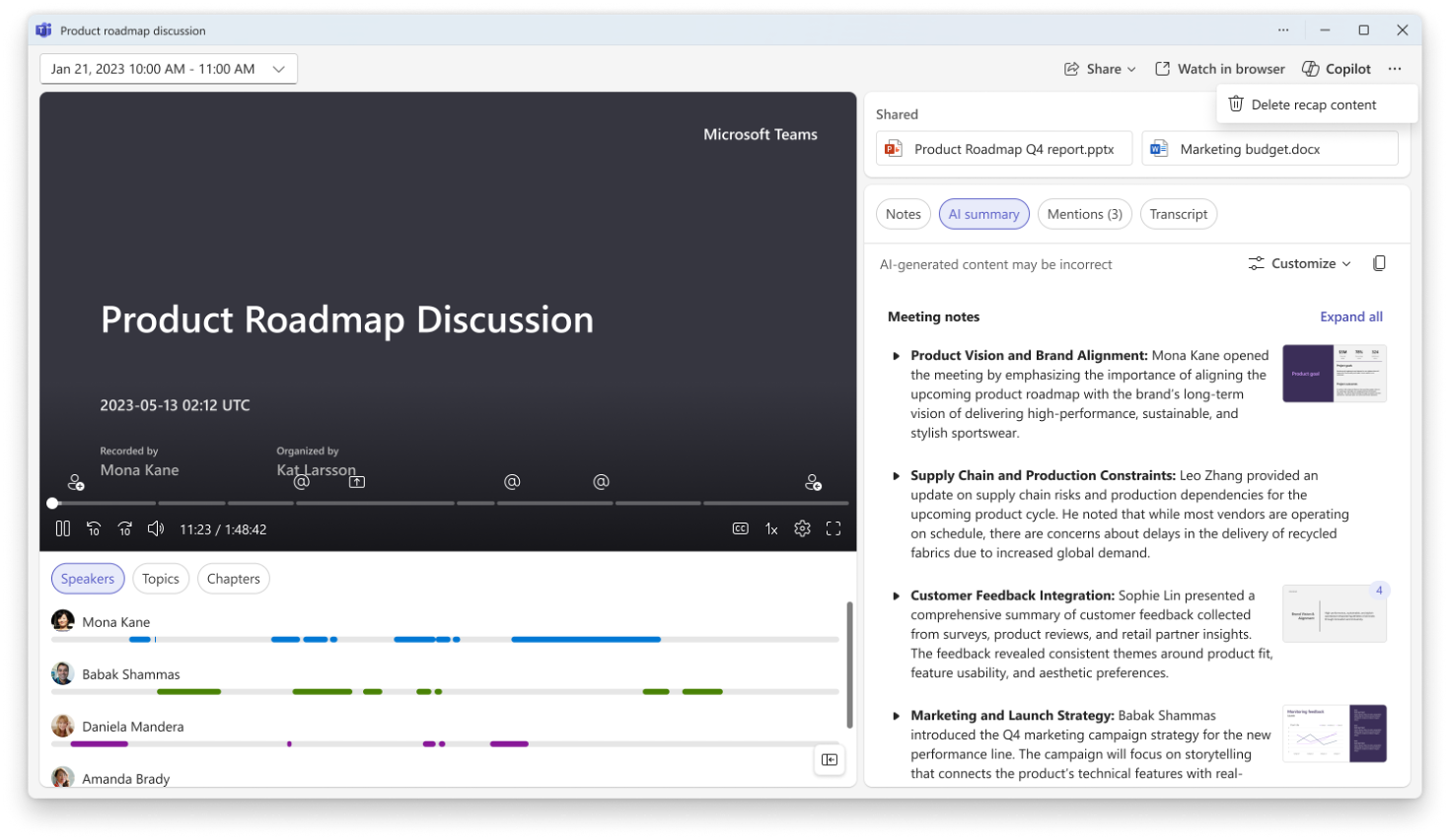
Microsoft Teams meeting organizers can delete meeting-generated content—recordings, transcripts, AI summaries, and notes—from the meeting recap starting May 2026. Shared files remain unaffected. Deleted content is permanent and the feature is enabled by default without admin setup. Custom summaries and audio recaps are excluded.
APR
27
Large file sharing in Teams today introduces blocking behavior, forcing users to wait for uploads to complete and disrupting real-time collaboration. To improve productivity and reduce perceived latency, we are introducing asynchronous file uploads. This allows users to continue sending messages while the file uploads in the background, enabling a more seamless and uninterrupted collaboration experience.
Microsoft Teams makes it easier to find and attach files by enabling search directly within the quick sharing experience. You can now locate cloud based files while attaching content, reducing friction when sharing files across chats and channels.
Password resets via Teams Pro Management Portal may cause Teams Rooms devices to fail sign-in due to a forced password change prompt they cannot complete, leaving devices in a CannotSignIn state. Avoid resetting these passwords in PMP and manually remediate affected devices if needed.
APR
28
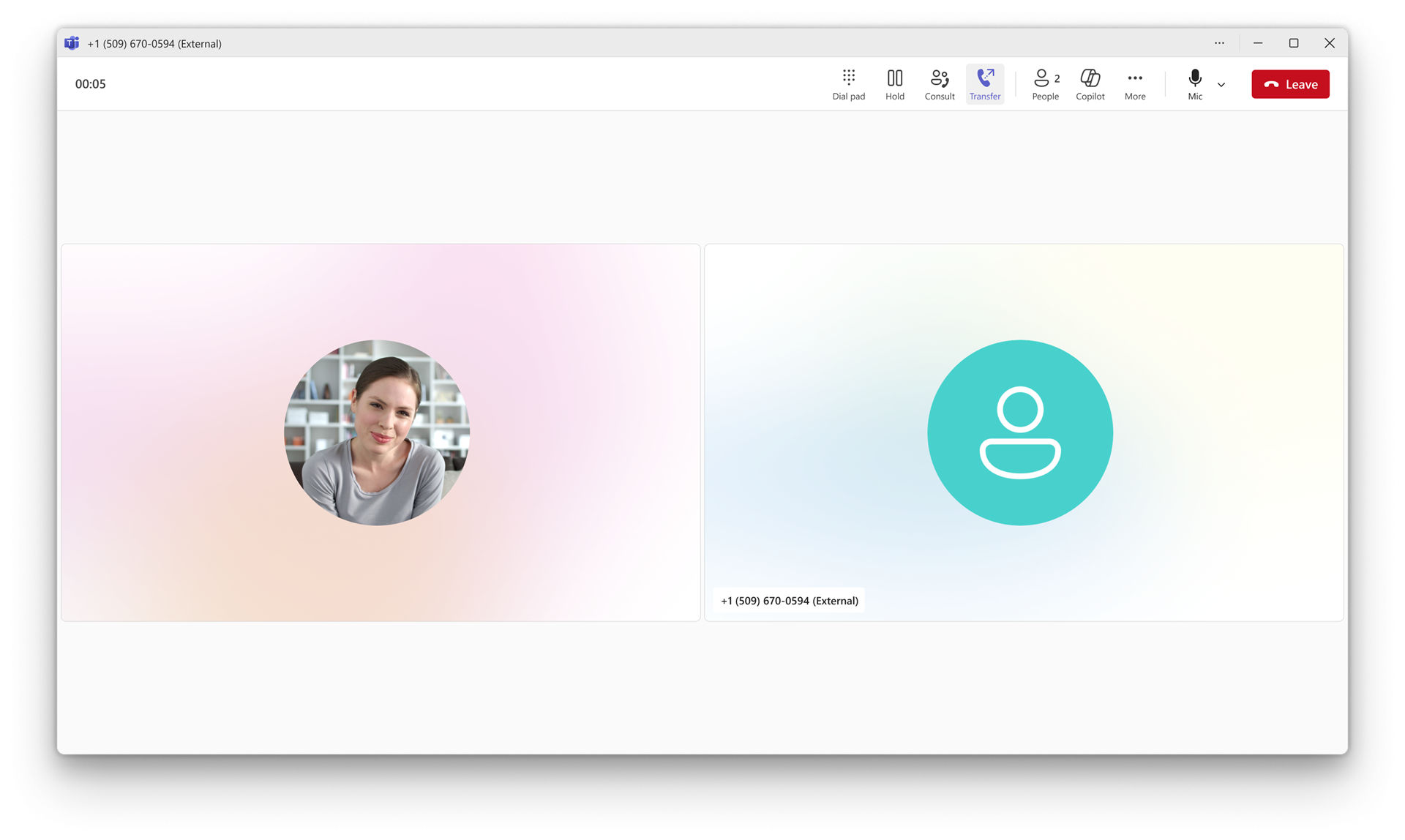
Microsoft Teams is improving the call transfer experience on desktop (Windows and Mac) with a streamlined workflow that makes transferring calls faster and more intuitive. These changes reduce the number of steps to initiate a transfer and introduce transfer suggestions to help users find the right transfer target more quickly.
In addition to capturing real-time notes and meeting outcomes during scheduled or hybrid meetings, the Facilitator agent assists you with notes, decisions and actions for in-person meetings in Teams Rooms on Android. Simply invite Facilitator with one tap of the room console. Meeting notes appear on the front of room display or touch board, are available via meeting recap when shared, and deleted if no one selected. Rest assured no data remains in the room. Available with Teams Rooms Pro.
Download manager updates in Microsoft Teams make it easier to track file progress with improved visibility, control, and accessibility. You can now open the manager from the title bar or by using a keyboard shortcut, and view downloads without blocking key chat and channel actions.
APR
29
Microsoft Teams Rooms on Android will support joining third-party meetings via Session Initiation Protocol (SIP) starting early June 2026. This feature, off by default, requires Teams Rooms Pro licensing and enables seamless cross-platform meeting access from Android devices. Organizations should prepare by testing, training, and updating documentation.
APR
30
Microsoft Teams will retire Together mode in meetings starting early June 2026, completing by late June 2026. Together mode and custom scenes will be removed, with gallery view as the primary layout. No admin action is needed, but users should be notified and documentation updated accordingly.
Microsoft 365 Copilot (Premium) will integrate Teams meeting content—transcripts, chats, and shared files—into Copilot Notebooks, enhancing context-based insights. Rolling out from April to May 2026, it respects existing permissions and governance, requires no admin setup, and is enabled by default for licensed users.
Microsoft Teams is enhancing desktop call transfers by separating Transfer and Consult transfer into single-click buttons, adding suggested transfer targets, and changing the default to blind transfer. Rollout begins early June 2026 with no admin action needed; users should be informed and support prepared.






No comments yet