

 HANDS ON SharePoint
 HANDS ON Teams
 HANDS ON Lists
 HANDS ON tek
 M365 Admin
Archiving Channels in Microsoft Teams: A Governance Perspective
Microsoft Teams encourages fast creation. Over time, that leaves many organizations with channels that are no longer active but still editable. Channel archiving addresses this gap. It allows teams to stop collaboration in a channel without removing its history.
From a governance standpoint, this creates a clear separation between active workspaces and historical ones.

Why Archiving Matters
When channels remain writable after a project ends, they introduce risk. Conversations can be restarted. Files can be modified. The record of what happened is no longer stable.
Archiving prevents this. An archived channel stays visible and searchable, but no new messages or replies can be added. Retention and deletion policies continue to apply.
The channel becomes reference material, not a working space.
What Changes When a Channel Is Archived
Once archived, conversations are read‑only. Channel apps stop accepting interaction. The channel is marked as archived in Teams, but owners can still manage it or restore it later.
This makes archiving suitable when information must remain available but unchanged.
How to Archive a Channel
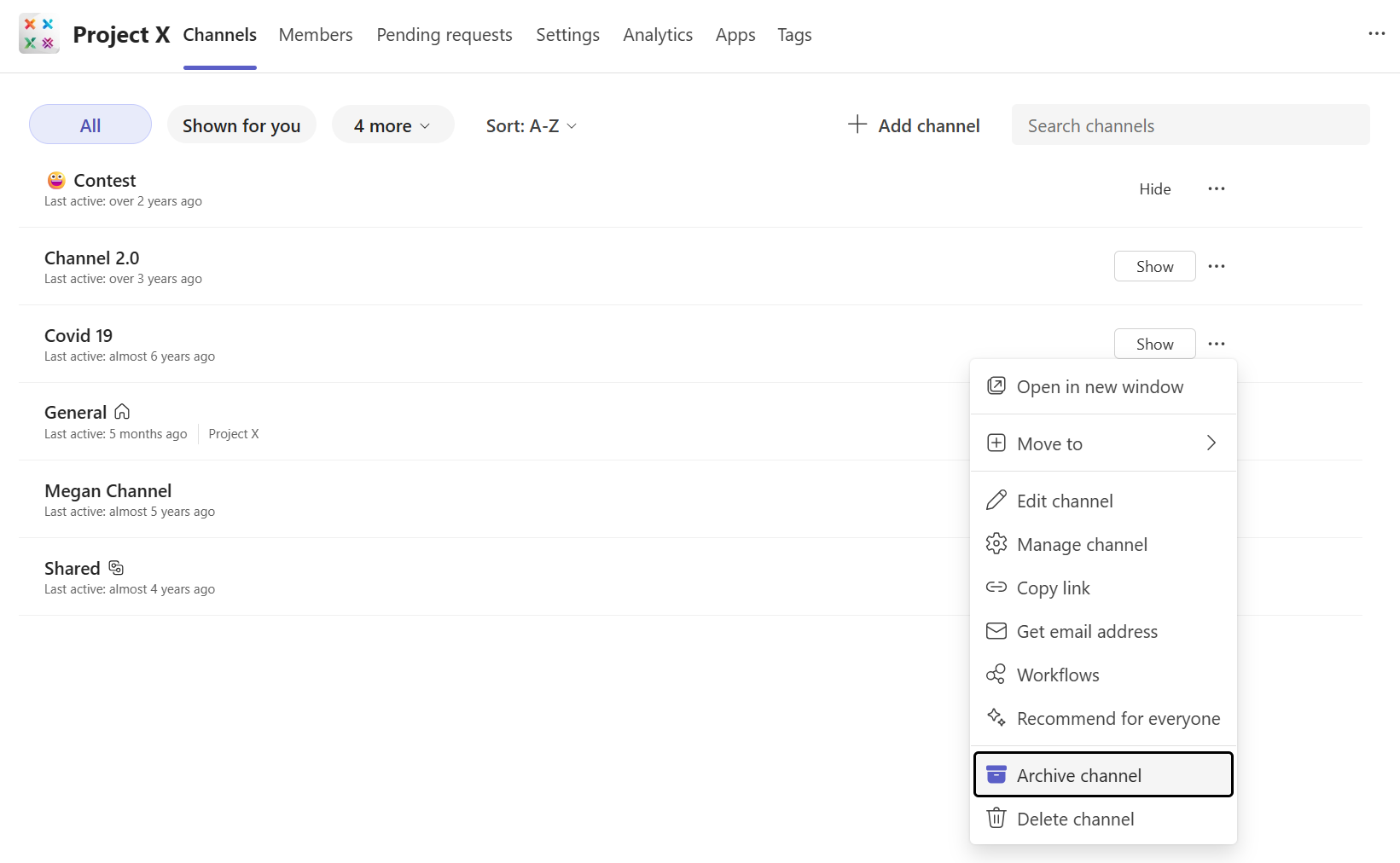
Channel owners and team owners can archive a channel directly from its menu in Teams. The same action is available from Manage team when multiple channels need to be archived.
During this step, Microsoft offers an option to make the associated SharePoint content read‑only. This setting is optional, but important.
What Happens to SharePoint Content
Archiving does not move or delete files. Standard channels keep files in the team’s SharePoint site. Private and shared channels keep their own SharePoint sites. In all cases, content stays in place.
If the read‑only option is enabled, members can view files but not edit them. Owners retain edit access. URLs, search, and retention remain unchanged.
Archiving Compared to Other Actions
Deleting a channel removes content permanently. Hiding a channel only affects visibility for an individual user.
Archiving sits between those two options. The channel remains visible and intact, but collaboration is closed.
Final Thoughts
Archiving works best when applied consistently. When a project ends or a working group closes, the channel is archived.
Over time, this keeps Teams environments easier to navigate and reduces uncertainty about which spaces are still in use. Channel archiving is not about cleanup. It is about keeping collaboration accurate over time.






No comments yet