

 HANDS ON SharePoint
 HANDS ON Teams
 HANDS ON Lists
 HANDS ON tek
 M365 Admin
Marginal Gains for Productivity: Flagged Emails in the Planner App for Microsoft Teams
My inbox has always been my worst nightmare. Not because of volume, but because of what it represents: a place where everything arrives mixed together, stripped of hierarchy. Messages that matter sit beside messages that don’t, and both demand the same attention.
I never learned to manage that well. I tried rules, folders, flags. None of them changed the underlying problem. Email remained the place where work entered my day, and too often the place where it stalled.
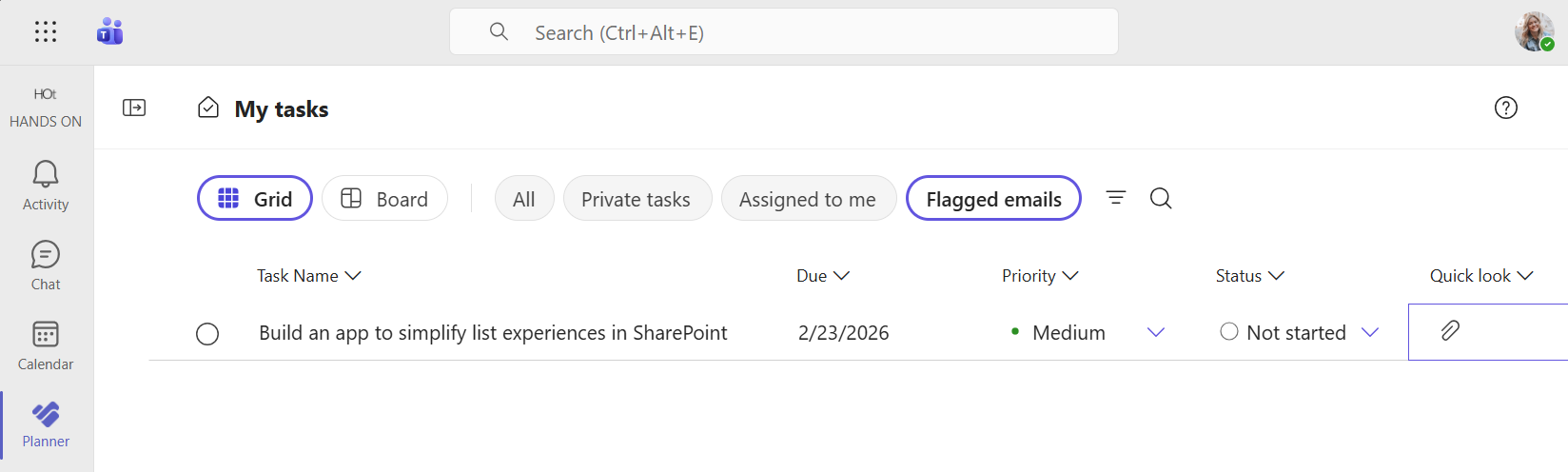
The small change that stuck was this: flagged emails appearing as tasks inside the Planner app in Microsoft Teams, alongside the rest of my work. One surface, one click away from email, but no longer inside it.

Email is good at delivery, not at work
Email does one thing extremely well: it delivers information. Everything that follows like tracking, prioritizing or follow‑up, happens despite it, not because of it.
The moment an email asks for action, the inbox becomes an awkward place to manage it. You either leave it unread, flag it, or promise yourself you’ll come back later. When “later” arrives, you reread the message to reconstruct why it mattered. That reconstruction is the hidden cost. It happens dozens of times a day, quietly draining attention.
The real problem is switching, not volume
What wears you down isn’t the number of messages. It’s the switching between modes.
Inbox mode is reactive. Task mode is operational. Moving between them forces a mental reset every time: What is this? Why did I flag it? What was I supposed to do next?
When flagged emails show up in My Tasks in Planner inside Teams where Microsoft explicitly brings together personal tasks, assigned work, and flagged email follow‑ups that switching cost drops. The email doesn’t disappear, but it stops competing with new arrivals. It sits next to other things that require progress, not attention.
The marginal gain that stays
This doesn’t transform how you work overnight. It does something more modest and more reliable.
Fewer emails need to be reopened just to remember why they were flagged. Fewer follow‑ups disappear under the weight of new messages. Fewer moments of uncertainty about whether something important is hiding in the inbox.
I still use email. I still flag messages. What changed is where those flags lead. Instead of pointing back to the inbox, they point forward to a list that reflects what the day actually requires.
For me, that’s what marginal gains look like in practice: not optimisation, not ambition, just a quieter way to keep work moving without carrying the inbox around in your head.






No comments yet